Adding Members to your Organization
Last updated: April 15, 2025
Here are the instructions on how to add team members to your Organization in the Junction dashboard.
Under your Org Name on the top left corner of the dashboard screen, click on the dropdown arrow and go to the "Members" section.
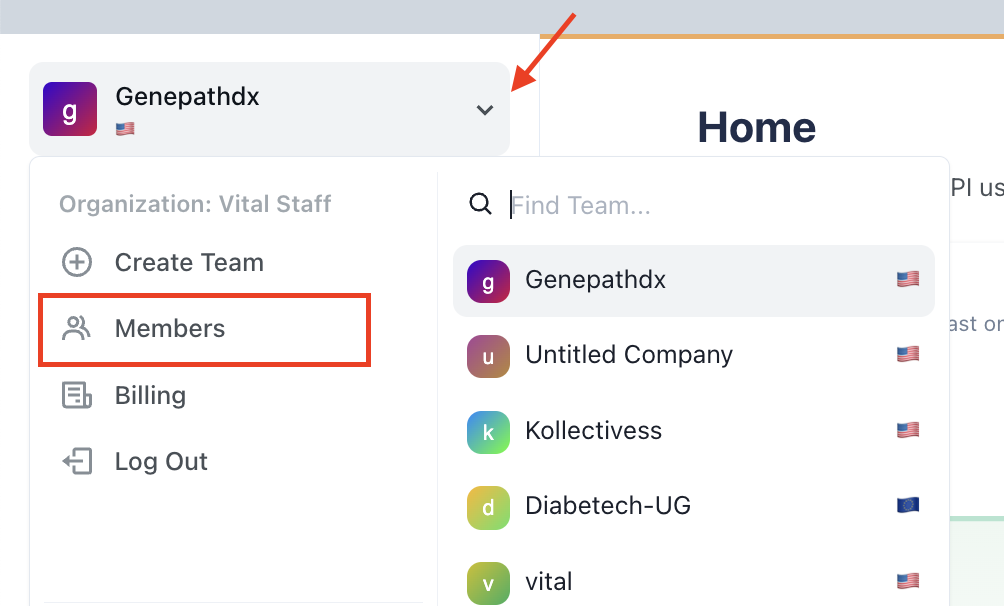
Add the e-mail address of the member you want to give access to the dashboard to, and click the green button that says "Send Invite".

They will receive the invite via email and will now have access to both dashboard environments, sandbox and production.
Members are set up at an Organization level, not a Team level. This means that anyone you add as a member will have access to all the Teams configured within that Org (if more than one).