Critical Results in the Orders Dashboard
Last updated: June 3, 2025
Overview
Junction now flags lab orders with critical results directly in the orders dashboard, giving clinical teams faster visibility into high-risk patient cases. This update adds new status labels and filtering capabilities to help users triage effectively and prioritize urgent care.
What’s New
🆕 New Status Labels
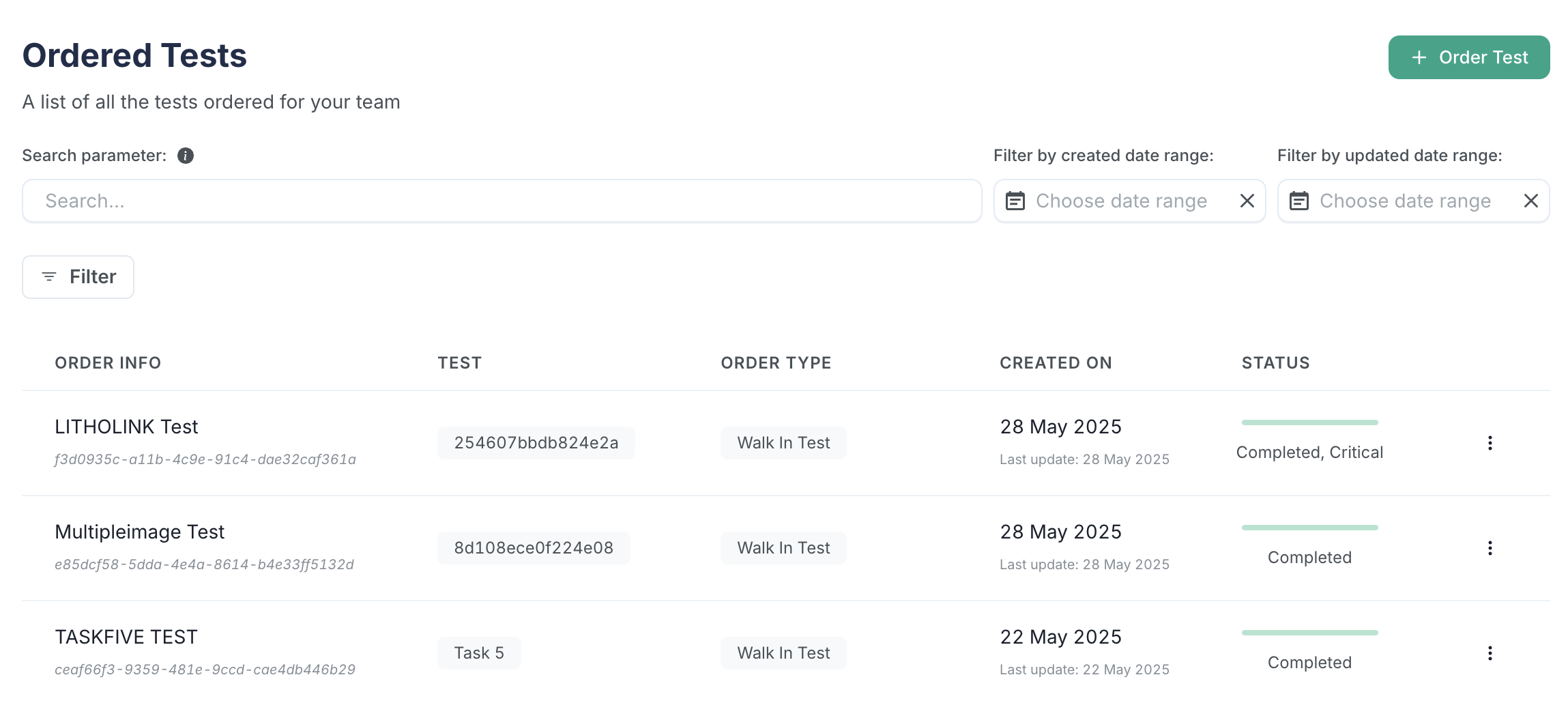
Orders with at least one critical result will now display a modified status:
Completed, Critical – Order is fully resulted, and at least one result is marked "Critical."
Partial, Critical (not shown above) – Order is partially resulted, with at least one critical result returned so far.
These new statuses replace the previous generic “Completed” or “Partial” labels for affected orders.
🔍 Interpretation Filters
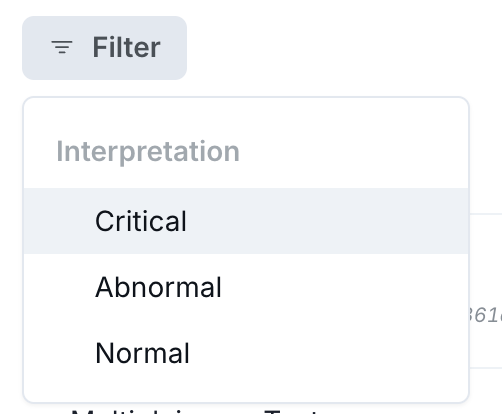
Users can now filter orders in the dashboard by result interpretation:
Critical
Abnormal
Normal
This filter appears in the Orders tab alongside other existing filters (e.g., status, order and order type).
How to Use It
View Critical Orders
Navigate to the Orders tab in your Junction dashboard.
Look for the new status tags: Completed, Critical or Partial, Critical.
Click to open the order to view detailed result flags on specific markers.
Filter by Result Interpretation
Click on the Filters panel.
Under the Interpretation section, select one or more of:
Critical
Abnormal
Normal
Apply filters to narrow your view.
Important Notes
These statuses reflect only what’s been resulted so far. Orders still in progress may not yet show critical results.
If no result markers are flagged, the order status will remain “Completed” or “Partial” as before.
These changes are backward-compatible with your existing workflows.
If you need help, contact us on Slack or email support@junction.com.
Coming Soon
We’re also rolling out email notifications for critical results. Stay tuned.