Using On-Site Collection for In-Clinic Lab Draws
Last updated: December 9, 2025
You can now mark lab orders as “On-Site Collection” for patients getting their samples drawn in your clinic instead of at a lab-owned patient service center.
This feature helps your team clearly track billing and ensures on-site specific communications are sent to patients.
The On-Site Collection capability needs to be enabled for your team, and requires a lab subaccount at each location for ordering supplies to one address per account. Reach out to your customer success contact for on-site capabilities, accounts, and onboarding.
Create an On-Site Collection Panel
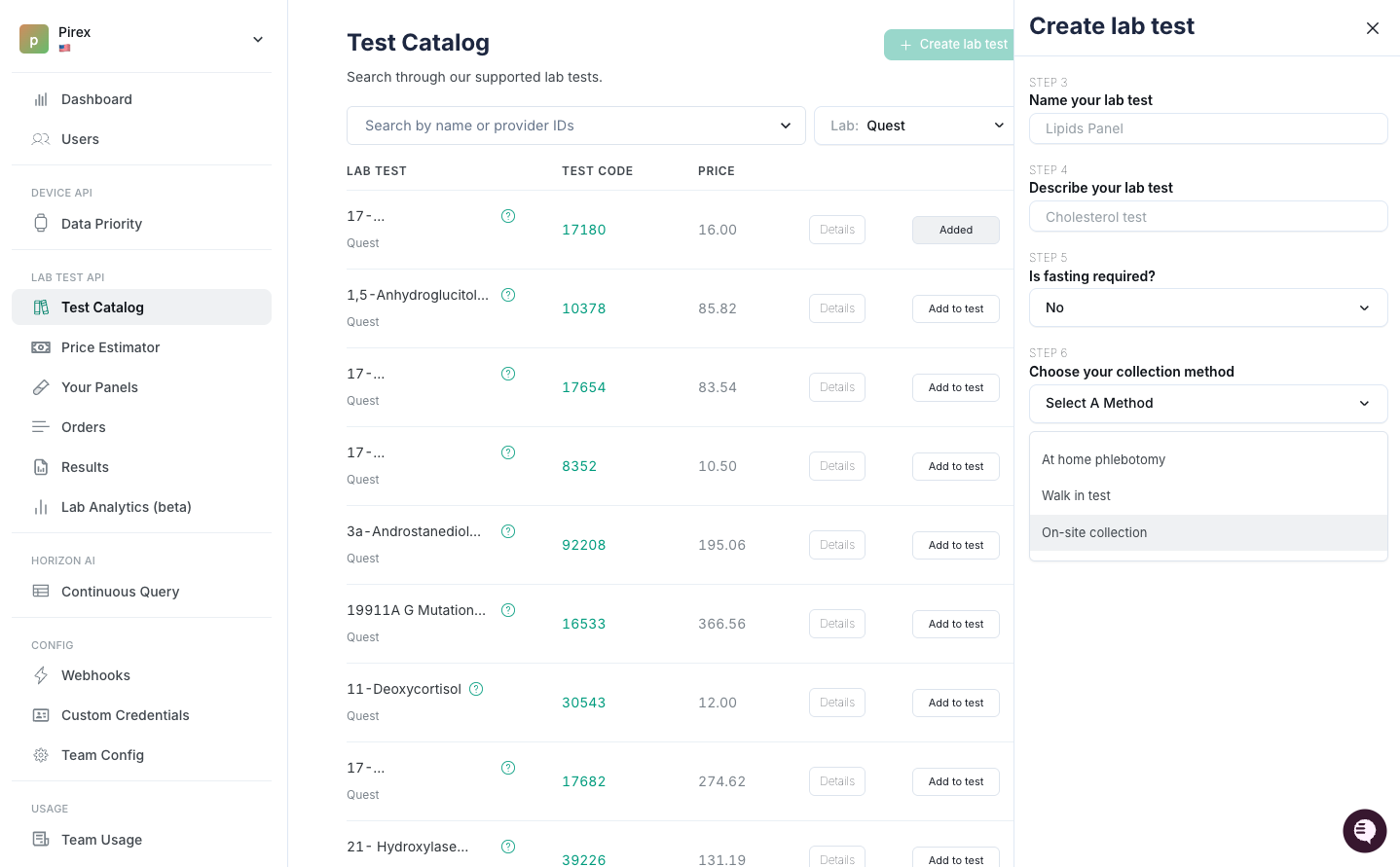
Making a panel specifically for on-site collections – as opposed to just marking every order as on-site in the ordering flow – can help your team easily create lab orders for tests that are intended to be ordered again and again.
Make a panel specifically for on-site collection by going to:
Test Catalog → Create Lab Test → Select Lab and Test(s) → Choose Your Collection Method
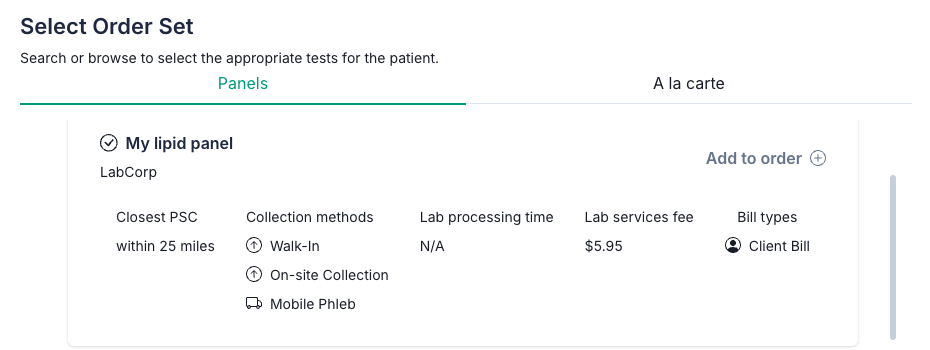
Once your panel is created, it will show up in your Panels tab as well as on the list of panels when creating a new order (in the order set step).
Create Orders for On-Site Collection
Whether or not you already have an on-site collection panel, you can set an order for on-site collection directly in the order creation flow.
Here's how to place an individual order for on-site collection:
Go to the Orders tab in Junction and select 'Order Test'
Select the patent and proceed to the order set step
Add tests and panels (select a pre-made on-site panel or ensure your tests display "On-Site Collection" under the collection modalities). Fill out any required AOE.
In the review step, go to the Collection Method dropdown and select "On-site collection"
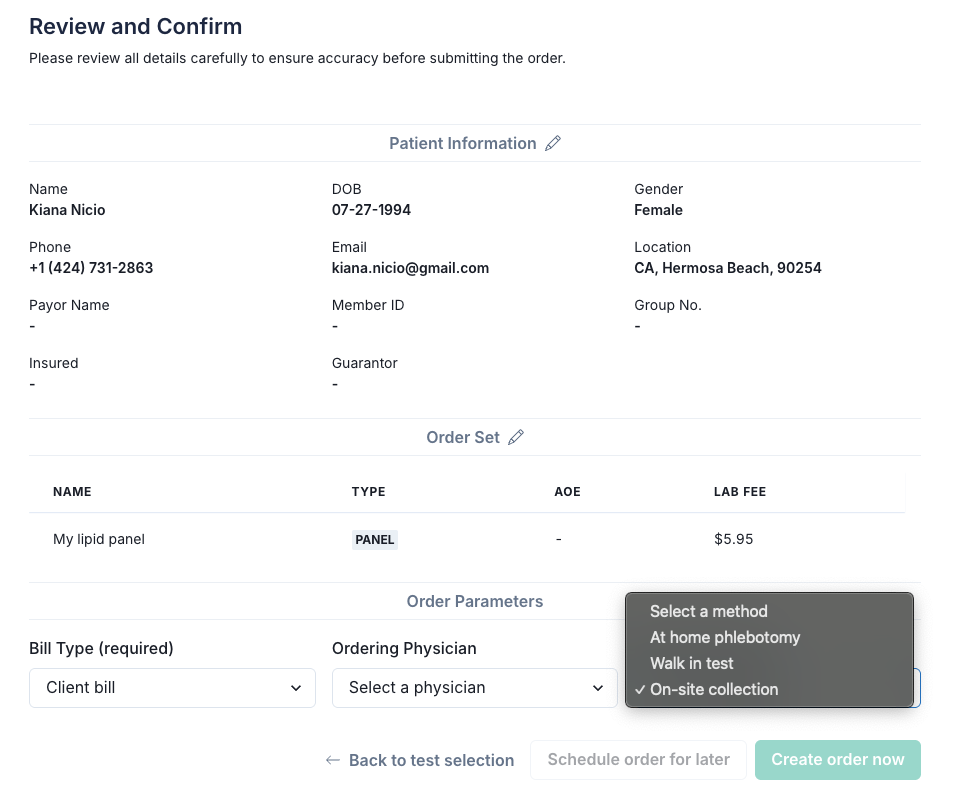
At-home test kits cannot be overridden as on-site collections in Junction.
Download Sample Collection Instructions
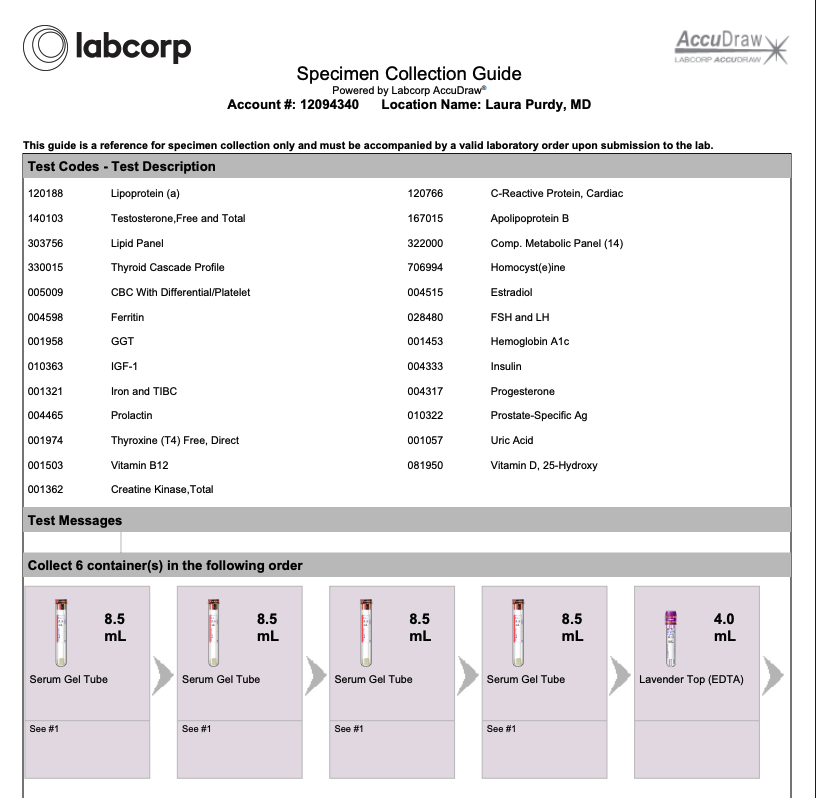
After placing an order, you’ll see a new button (only when available) on the Order Details page labeled: Download Collection Instructions. Click this to get a PDF guide with draw instructions.
Collection instruction PDFs for a saved panel can be made available upon request by reaching out to your Customer Success Manager.
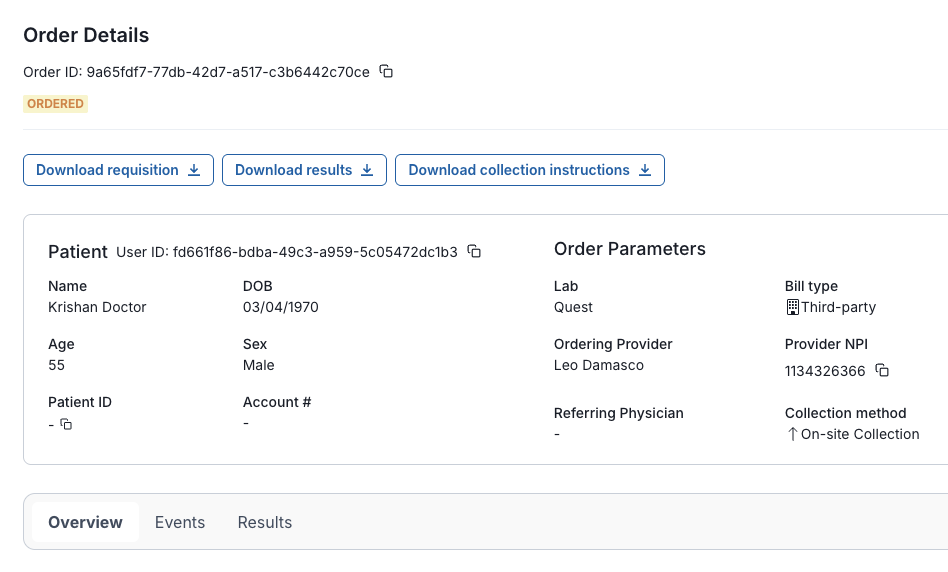
Coming Soon: Generate Labels
From the Order Details page, you will soon be able to generate test tube labels. Currently, this is already available via API.
These now include:
Sample ID
Collection date
Patient name
Account number
What Patients Experience
When an order is marked for on-site collection, patients will receive communications that are tailored to an on-site draw, with test and lab-specific information in dynamic email fields.
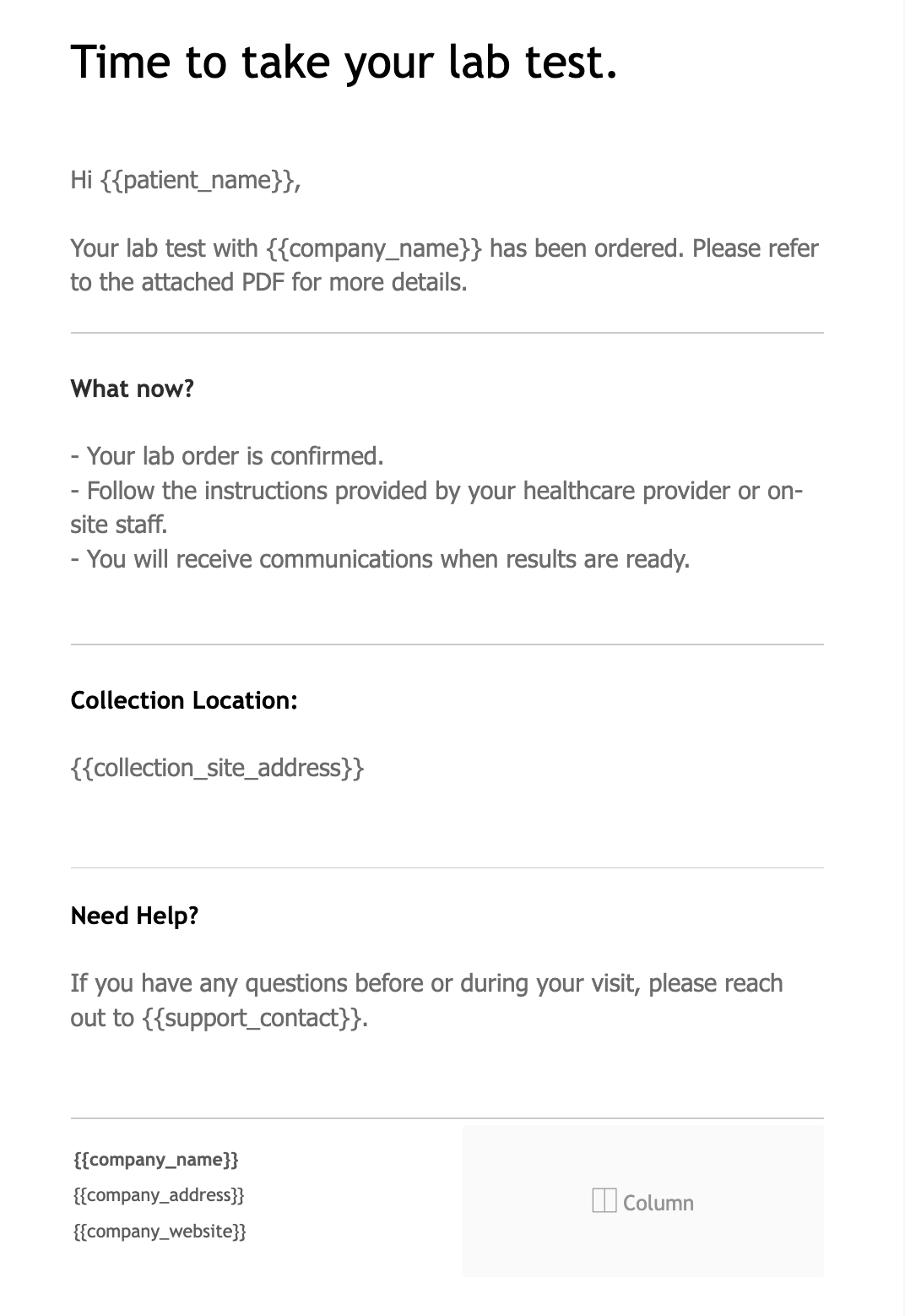
SMS
Junction's default SMS message:
Your lab test has been ordered. Follow your provider’s instructions for collection. You will receive follow-up communications when results are ready.
SMS messages can be customized manually with your Customer Success Manager.
Emails and SMS messages will match your team's configured workflow from order creation to results.
Limitations
Junction does not yet schedule on-site appointments - you’ll need to use your own tools
Collection instruction PDFs are only available if the lab has uploaded one for the test
Labels can be generated via API, we're working on adding this capability to the dashboard.
The Order Lifecycle will be updated with "Draw Completed" event only if you hit the API endpoint with a collection date, dashboard capabilities coming soon.
Supply management and logistics tracking are not yet included in the dashboard
Need Help?
Have questions or want to activate On-Site Collection? Message your Customer Success Manager or Slack @Team Junction.