Lab Test Versioning: Update Panels Without Affecting Existing Orders
Last updated: October 21, 2026
Lab test versioning lets you update the biomarkers in a panel without changing any orders that have already been placed with it.
Clinical protocols change over time. With versioning, you can keep your panels up to date while every existing order stays exactly as it was when it was placed, including its requisition, expected results, result processing, and billing.
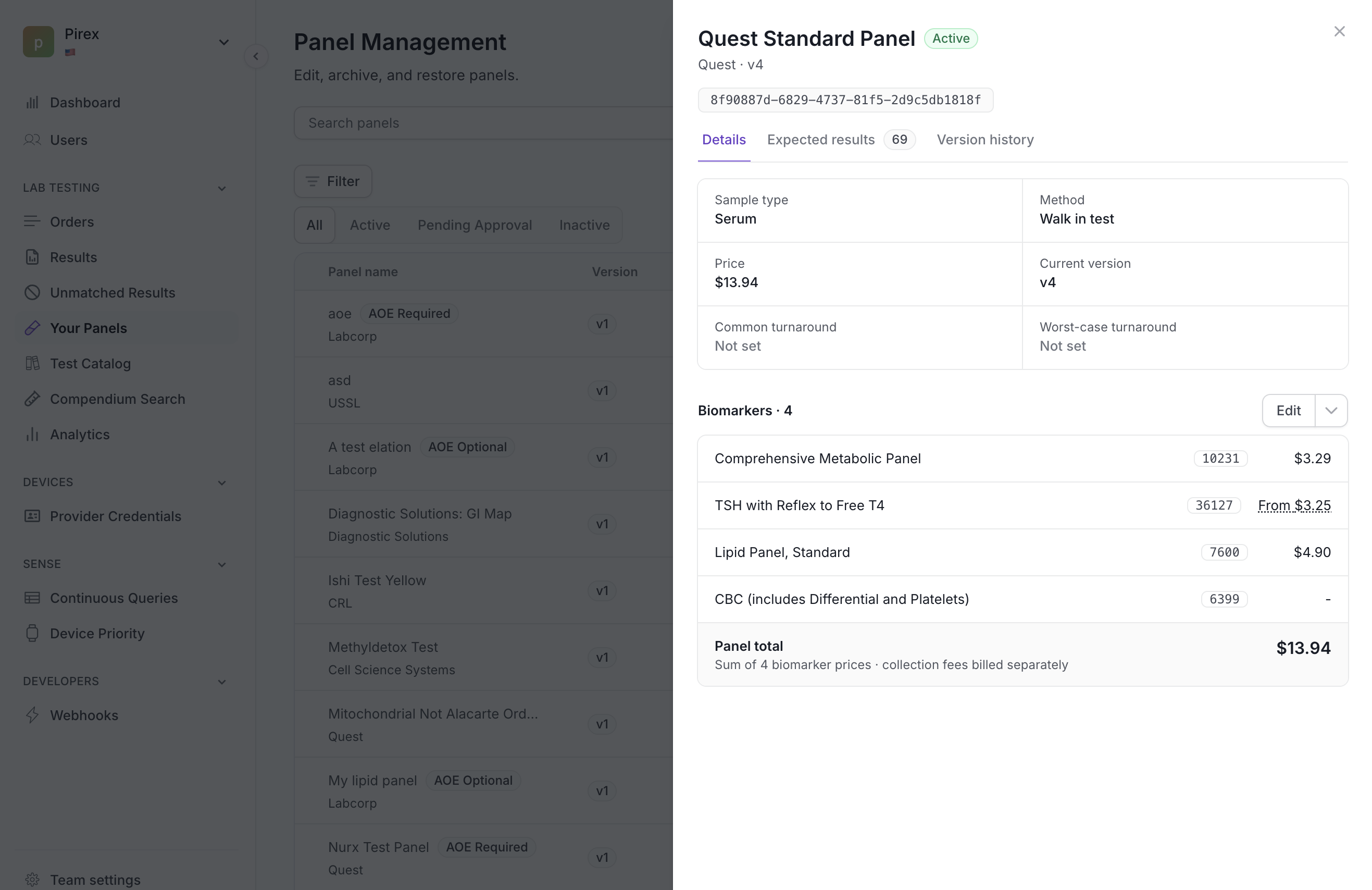
How versioning works
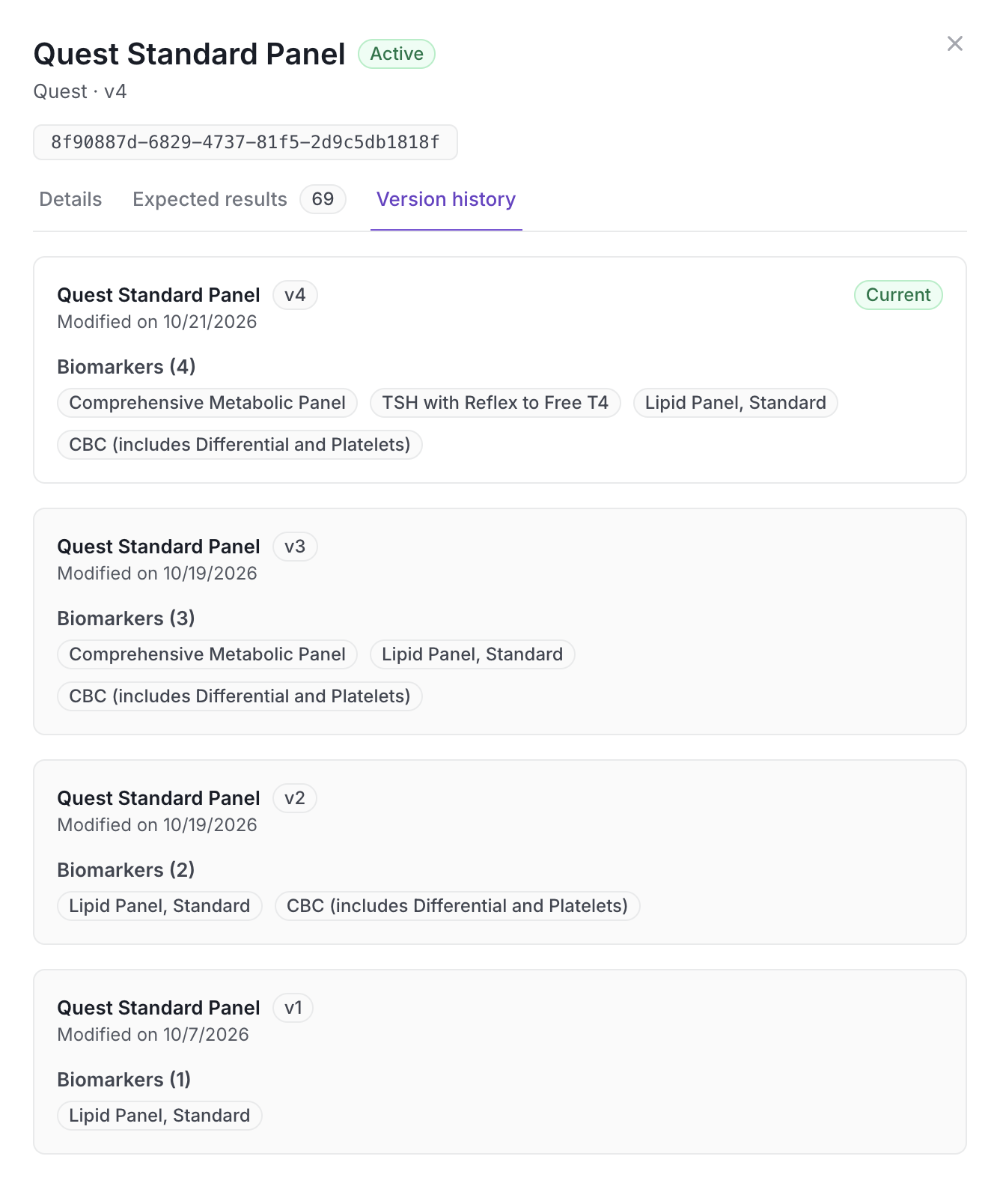
Every lab test (panel) keeps the same ID for its entire lifetime.
When you change which biomarkers are in a panel, Junction saves the new marker set as a new version and increases the version number by one. New panels start at version 1.
Each version is a permanent, read-only record. Earlier versions can't be edited.
Changing only a panel's name, status, or other details does not create a new version. Only changes to the biomarkers do.
Saving the exact same set of biomarkers again doesn't create a new version.
What happens to orders
Action | Version used |
|---|---|
Create a new order | The latest version at the time the order is created |
View an existing order | The version that order was placed with |
Update only the panel name or details | No new version is created |
Change the panel's biomarkers | A new latest version is created |
Recreate an order | The latest version at the time the new order is created |
When an order is created, its panel version is locked to that order. Later changes to the panel won't affect it.
Tip: You don't need to specify a version when placing an order. Junction always uses the latest version automatically.
Pricing and checkout
Pricing estimates and checkout quotes are calculated for a specific panel version. If a panel gets a new version before checkout is completed, Junction won't silently change the order's biomarkers or price. Instead, the quote is rejected and you'll be asked to review the updated panel and price before trying again.
Using the API
Continue to pass lab_test_id when creating orders. You don't need to pass a version number.
Get the latest version of a lab test
curl --request GET \
  --url '{{BASE_URL}}/v3/lab_tests/<lab_test_id>' \
  --header "x-vital-api-key: <your_api_key>"
The response includes a version field alongside the panel's current markers.
Get a previous version of a lab test
curl --request GET \
  --url '{{BASE_URL}}/v3/lab_tests/<lab_test_id>?version=2' \
  --header "x-vital-api-key: <your_api_key>"
This is useful when you need to display or audit the exact biomarkers an older order included. Only the biomarker list is versioned. The panel name and status always show their current values.
Junction returns a 404 if the lab test or requested version doesn't exist or isn't available to your team.
Things to know
Test kits can't be edited.
Previous versions can't be reused to place new orders. New orders always use the latest version.