Understanding Turnaround Time (TAT) in Junction
Last updated: July 31, 2025
Overview
Turnaround Time (TAT) estimates help you set expectations and improve internal operations by showing how long lab results typically take to return.
TAT is available at the test, panel, and order level for walk-in, on-site, and mobile phlebotomy in both the API and dashboard. Panel and order-level TAT is based on the slowest test in the set.
TAT for test kits is not currently supported.
To learn more about the TAT endpoint in the API, visit our docs.
Each TAT includes:
"Common" Expected Turnaround Time → The number of days results will usually arrive by (covers ~95% of orders)
"Worst-Case" Latest Expected Turnaround Time → The number of days a small amount of results will take due to delays (covers ~99% of orders)
TAT is calculated from the time of collection, not from order creation. These estimates are based on historical performance per test, not static lab-wide averages.
For tests without sufficient data to make this calculation, TAT will show as "N/A".
How to Use TAT
For Patient Support & Communication
Set expectations on when results will arrive
Use “Common/Expected TAT” to inform emails, SMS, and portal copy
Use “Worst Case/Latest Expected TAT” to define when escalation or follow-up is needed
For Internal Operations
Set or refine SLAs for different test types
Flag delays using “Worst Case” TAT as a threshold
Reduce manual status checks with clarity on typical timelines
In the Dashboard
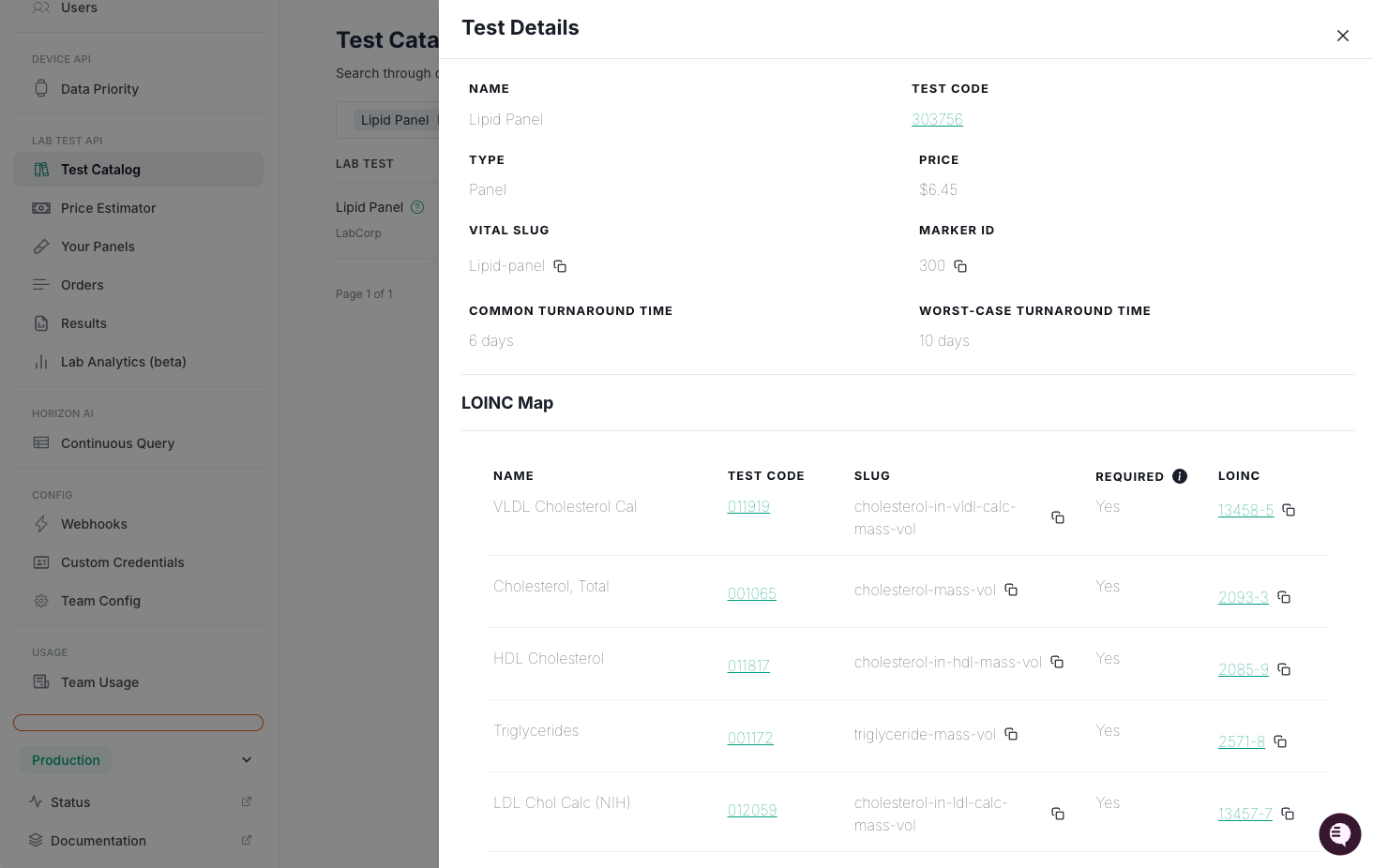
Test Catalog
TAT is displayed as "common" and "worst-case" in the test details view when sufficient data is available.
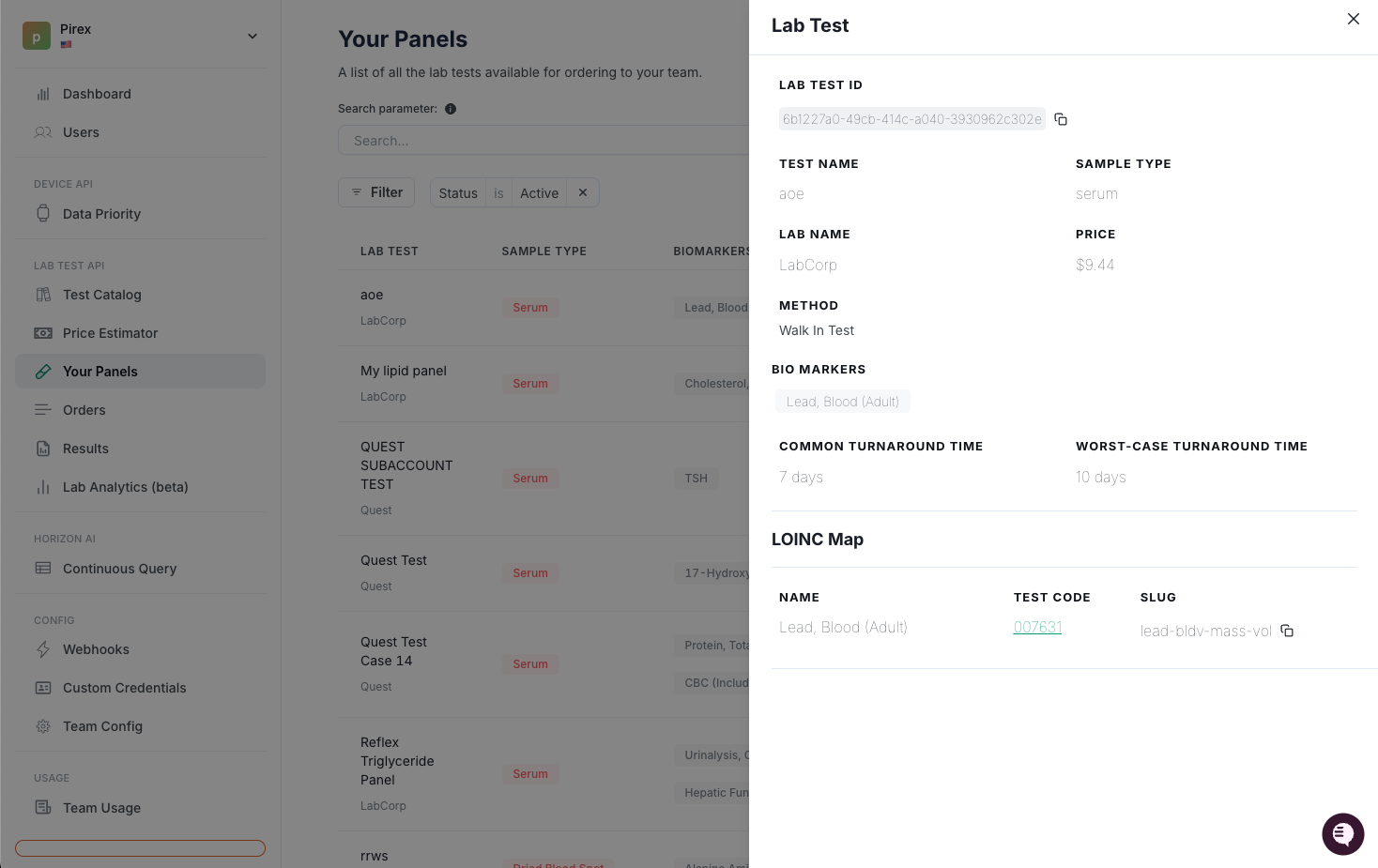
Your Panels
TAT is displayed as "common" and "worst-case" in the panel details view when sufficient data is available.
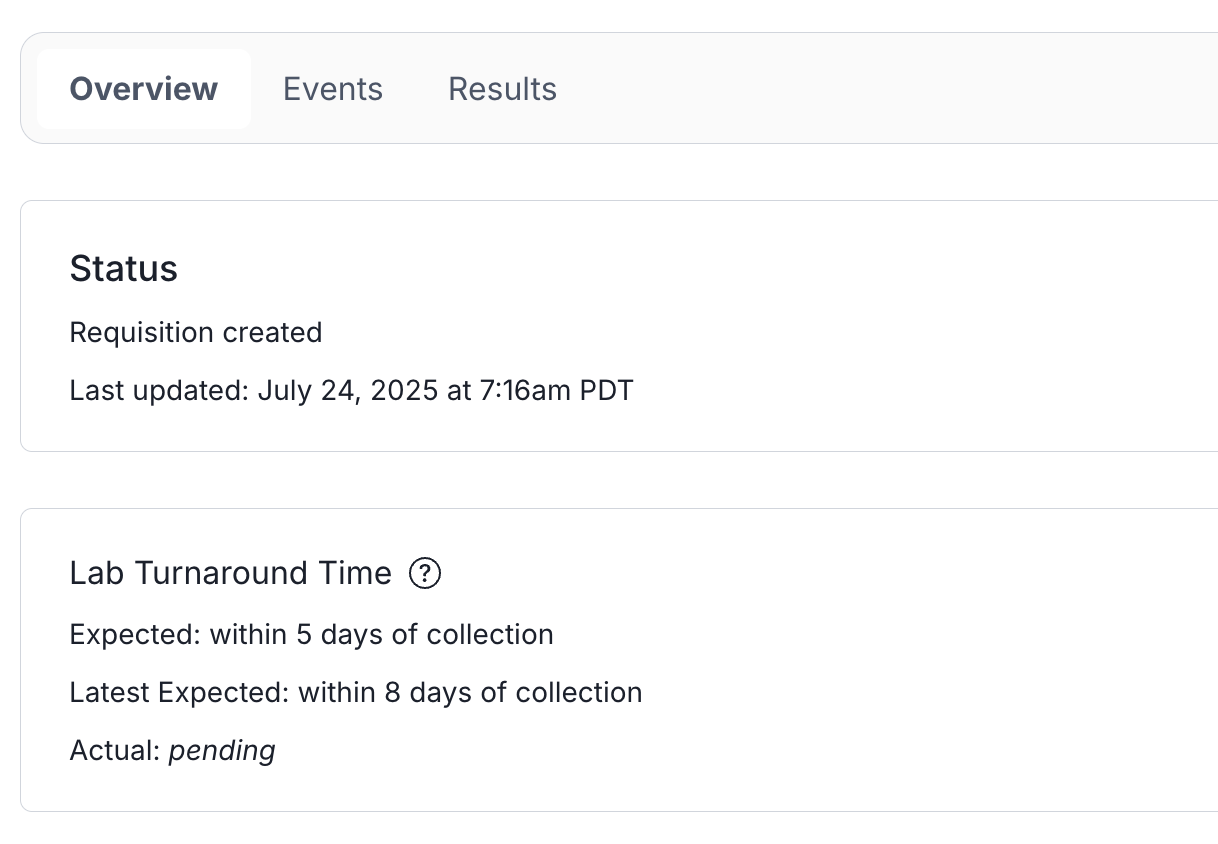
Order Details - Overview
TAT is displayed as "expected" (common), "latest expected" (worst-case), and "actual" in the order details overview when sufficient data is available.
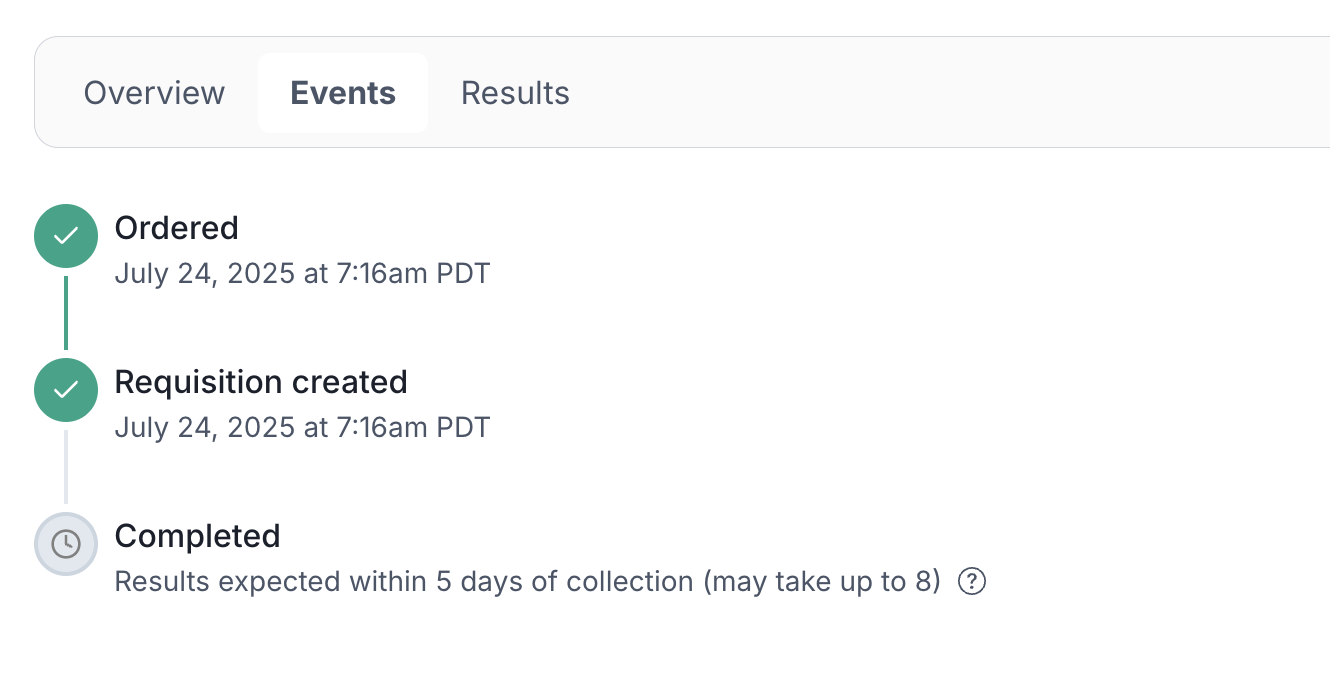
Order Details - Events
TAT is displayed using "expected" (common), "latest expected" (worst-case), and "actual" in the order details events when sufficient data is available.
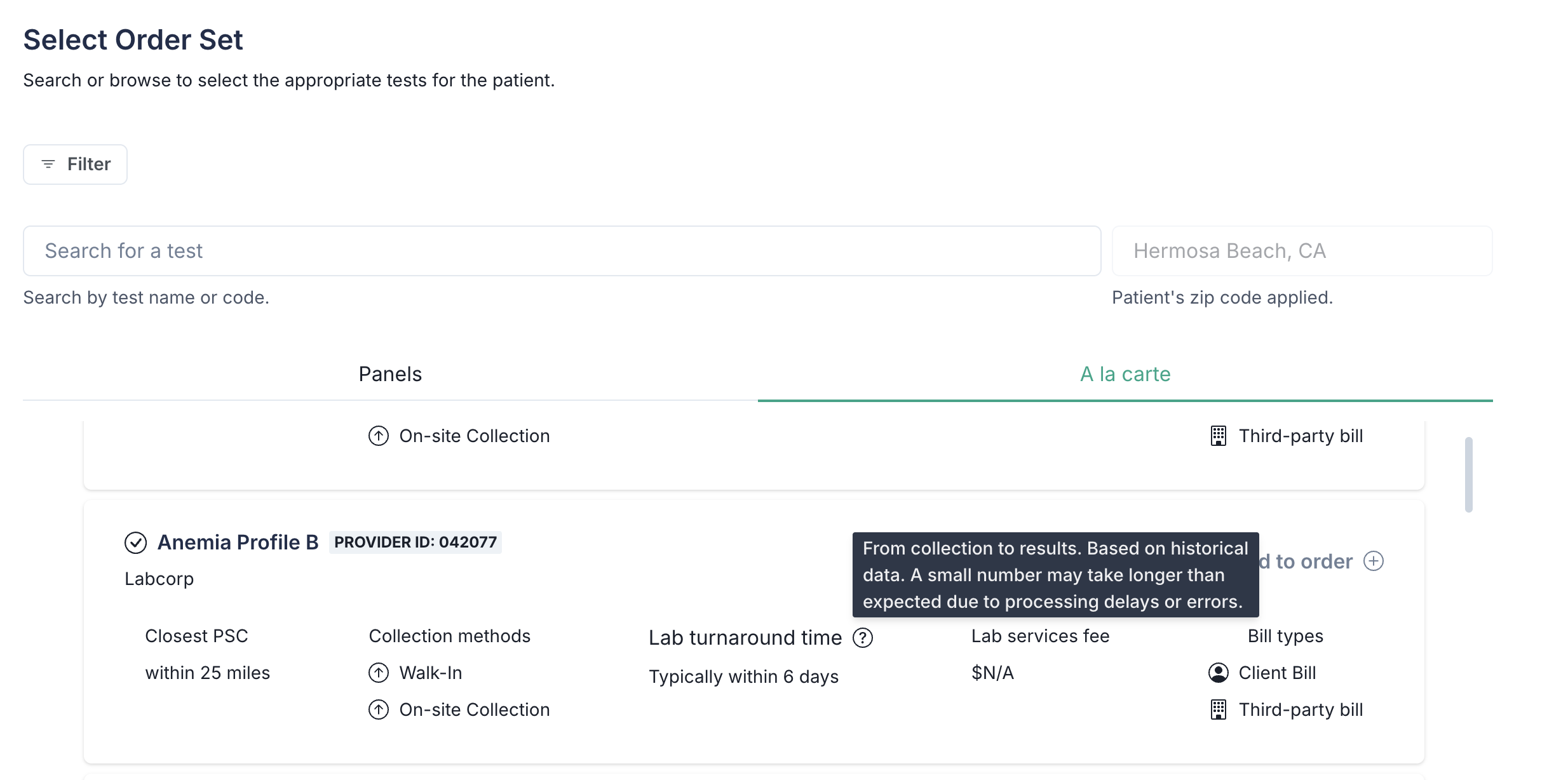
Order Creation Flow - Select Order Set
TAT is displayed as "expected" (common) in the order creation flow when sufficient data is available.
FAQs
What if a result takes longer than the worst-case estimate?
This is rare (<1% of orders), but possible due to lab errors, sample issues, or unexpected delays. You may want to create internal workflows to flag these for support follow-up.
Can I customize how TAT is shown to patients?
Yes! You can use the TAT fields in your own frontend and communications, tailoring the copy and thresholds to your brand tone and patient population.