Redraw Feature Product Guide
Last updated: November 14, 2025
Redraw Status, Webhooks and Comms
Overview
The Redraw feature helps customers manage situations where lab test results are missing. When a required marker is not returned, Junction automatically marks the order as redraw_available, notifies the patient, and enables operational teams to take action.
This guide outlines how the redraw lifecycle works, when it’s triggered, and how webhooks and communications are managed.
The redraw feature is currently only available for walk-in collections at Quest, Labcorp, and BioReference. Mobile phlebotomy, on-site clinics, and test kits are not supported with this feature.
This feature is in closed beta. Please request access with your Customer Success Manager.
🔄 Redraw Status
Junction uses a new order state: redraw_available
This state is applied when results are missing and meet specific redraw criteria. This typically includes:
Marker results are never returned
Markers are returned as QNS (Quantity Not Sufficient), invalid, or otherwise not reportable
Lab-specific logic (e.g., missing biomarkers for a panel that must be complete to report)
You can read more about missing results reasons here in our docs.
Only one redraw is supported per order. Subsequent issues must be manually addressed.
💻 Dashboard Views
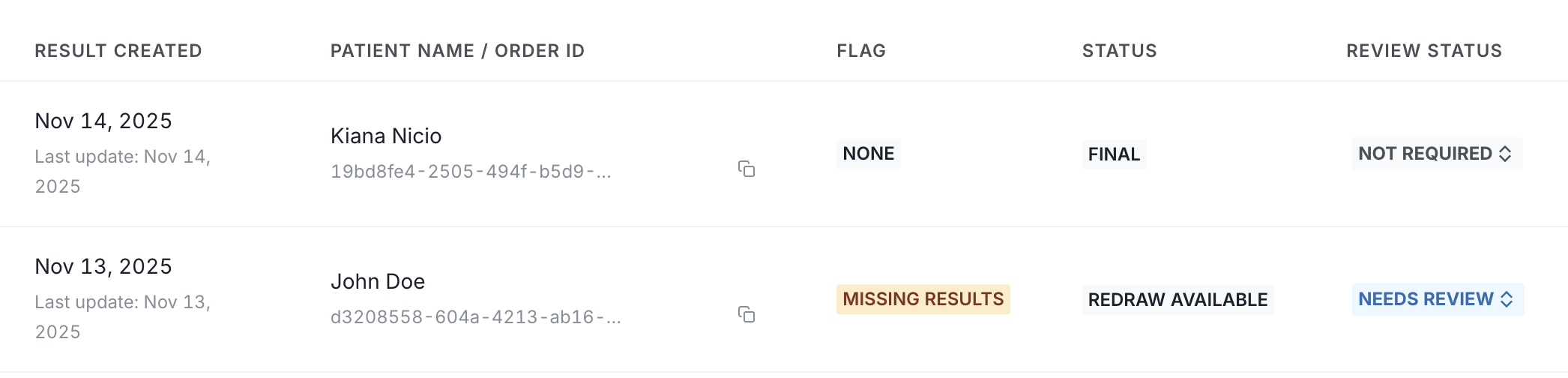
Once the redraw_available status is applied, the status will be visible in the dashboard (tagged as "Redraw Available") in both the Orders and Results tabs.
Orders Dashboard View:

Results Dashboard View:
📬 Webhooks
If your team uses webhooks to stay in sync with order updates, the following webhook event will fire when a redraw is triggered:
order_status_updated: will reflectredraw_availableas the new state
A separate structure named missing_results includes metadata about what marker(s) triggered the redraw.
📩 Patient Communications
Junction sends automated patient-facing communications when an order enters redraw_available state:
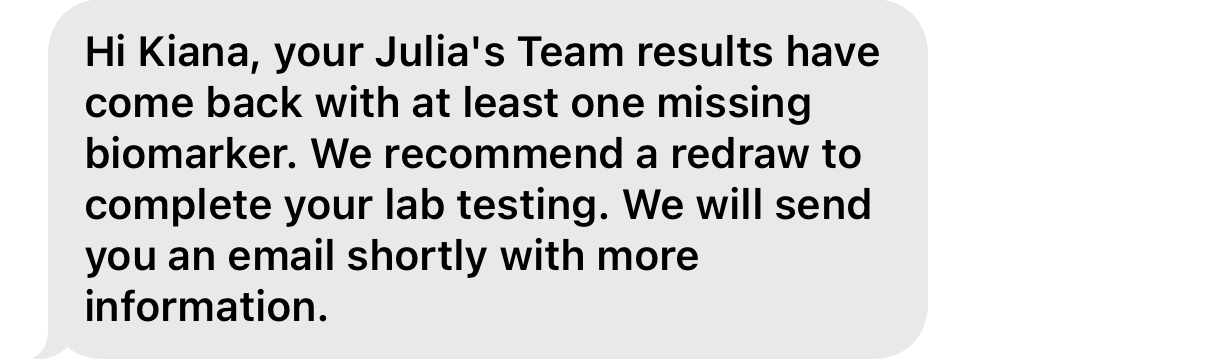
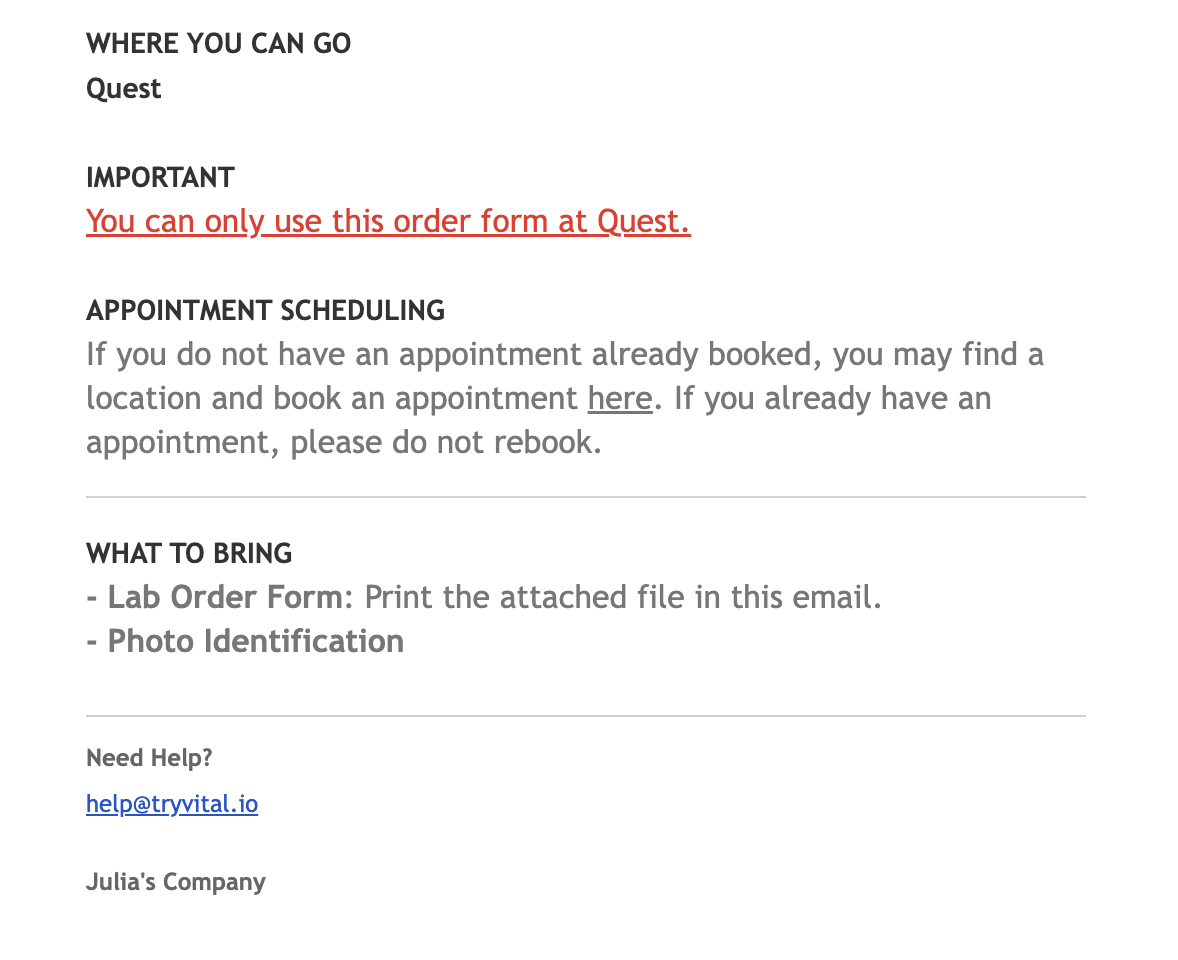
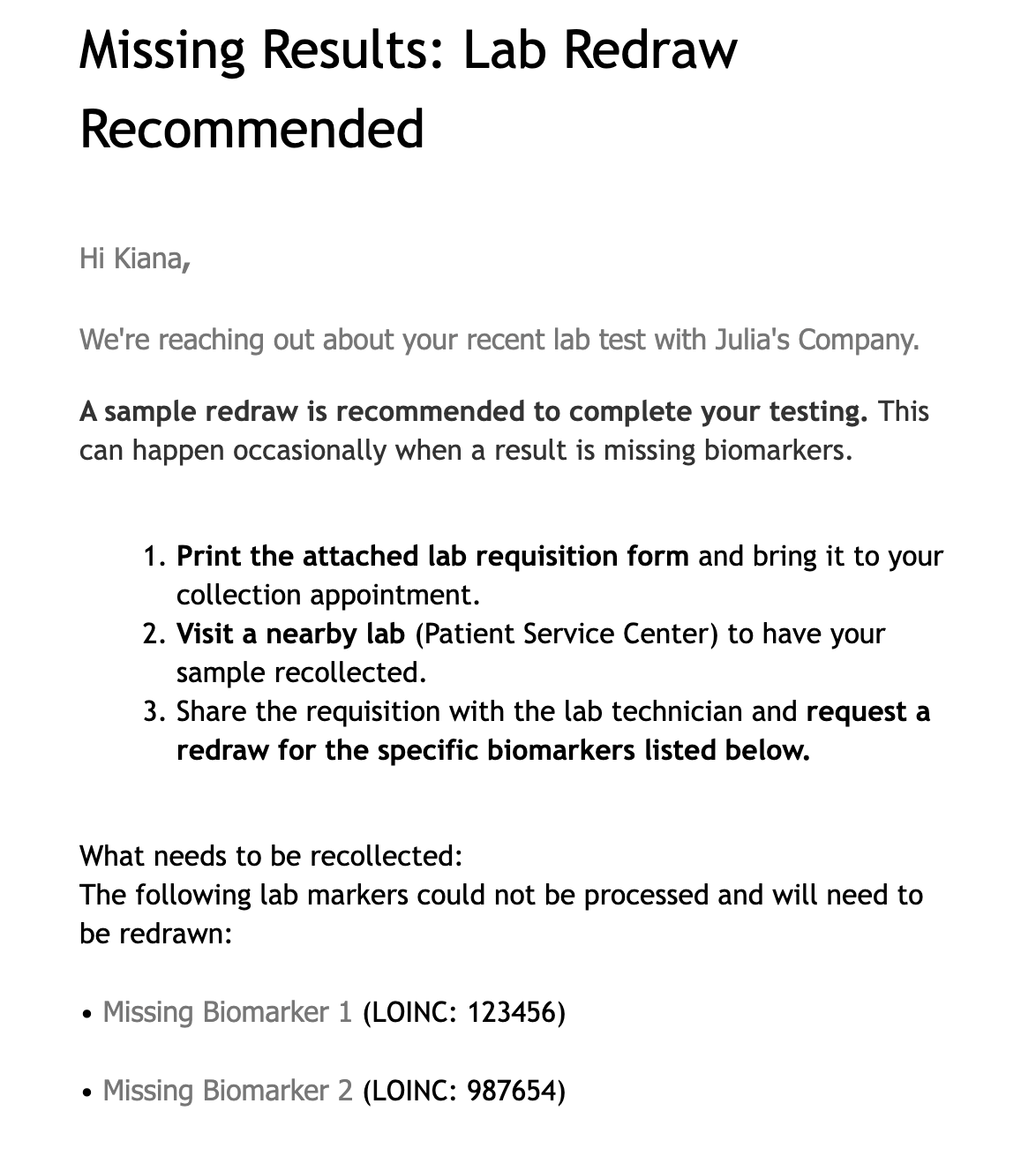
SMS and Email notifications are sent immediately
Patients are informed that some results were incomplete, which ones are missing, and a new sample is required
Clear instructions are included to rebook a draw appointment
Customizable SMS Copy:
Non-Customizable Email Copy:
🧠 Best Practices
Review orders tagged as
redraw_availableweekly to ensure all have been acted onCustomize SMS patient messaging to match your brand tone and collection instructions
For questions, contact your Customer Success Manager or reach us at support@junction.com