How to Use Slack for Support
Last updated: February 10, 2025
Vital customers on the Scale plan have access to a dedicated Slack support channel.
Customers who are not on the Scale plan can join our Slack Community at vitalapi.slack.com.
Creating Support Tickets in Slack
To receive the fastest support, please use one of the following methods to create a support ticket in Slack:
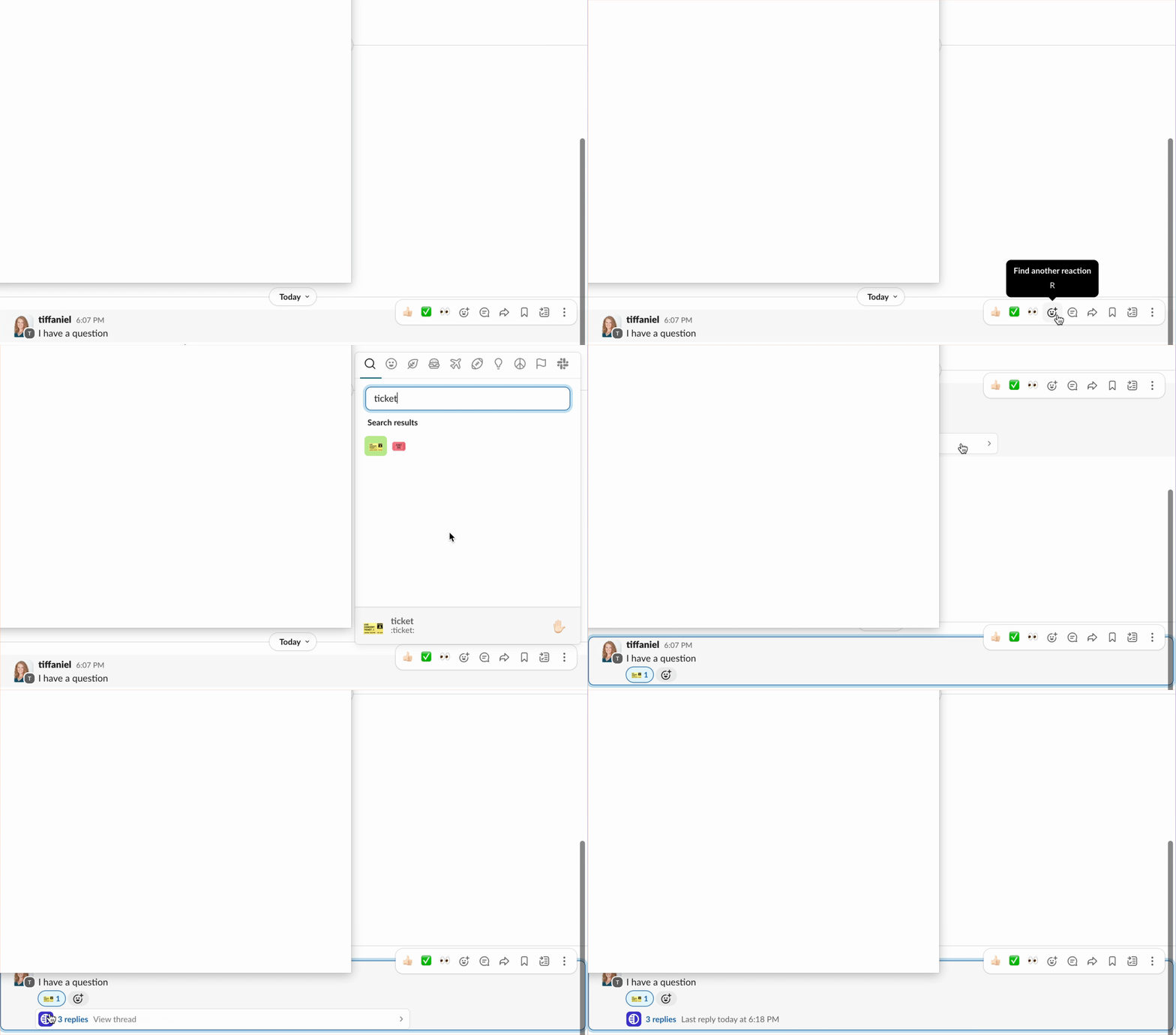
React to your original message with a "ticket" 🎫 emoji:
Tag
@Vital Teamin your original message:
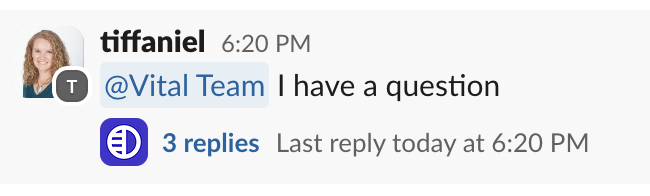
Once you've created a support ticket in Slack, please reply with any follow-up in a thread.

What information to Provide
When you create a support issue, providing relevant information helps speed up the troubleshooting process. Please refer to this article for guidance on the useful information to include.
Broadcast Messages from Vital
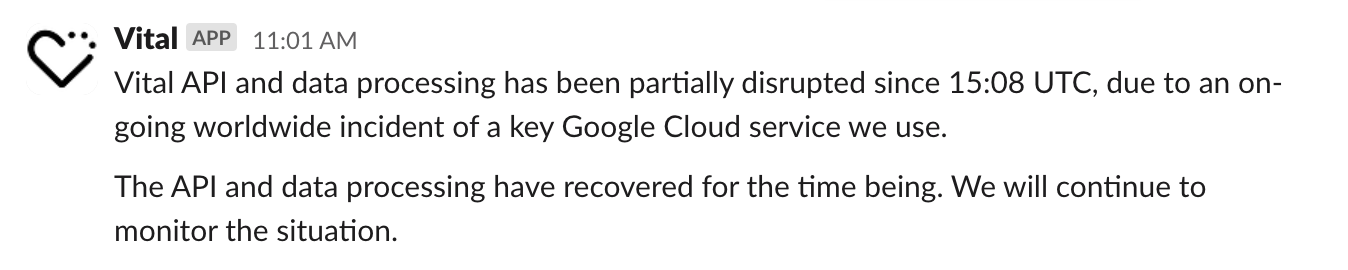
Occasionally, the Vital team will share important information in broadcast messages that look like this:
Vital's Support Hours
Our support team is available from 9 AM to 5 PM ET. If you message us outside of those hours, there may be a delay, but we will follow up as soon as possible.