Redraw Workflows in Junction
Last updated: June 2, 2026
Junction now supports improved redraw workflows with linked redraw orders, new requisitions, automated patient communications, and enhanced redraw tracking throughout the dashboard.
This update is designed to reduce manual coordination, improve operational clarity, and create a more reliable redraw experience for both patients and care teams.
Ready to implement Order Transactions to track redraws and their associated original orders?
Overview
Historically, redraw workflows often relied on:
manual patient outreach
operational coordination with support teams
reuse of the original requisition
limited redraw lifecycle visibility
With this update, redraws are now handled as structured workflows within Junction.
When a redraw is initiated, Junction can:
create a new linked redraw order
generate a new requisition for the redraw
automatically send updated patient communications and instructions
maintain association with the original order
track the redraw independently throughout its lifecycle
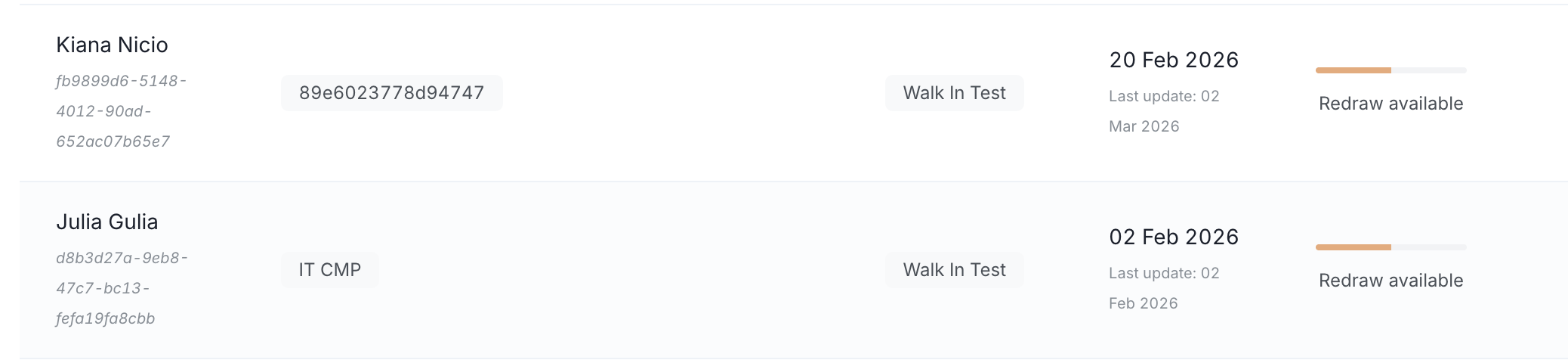
How redraw workflows now work
With improved redraw workflows:
Junction creates a new linked redraw order within the order transaction
A new requisition is generated for the redraw and a webhook is sent
Updated redraw communications are sent to the patient automatically (if Junction communication settings are turned on)
The redraw is tracked independently while remaining linked to the original order
This creates a cleaner and more operationally scalable redraw process.
How redraws work in Junction
1. Missing results are identified
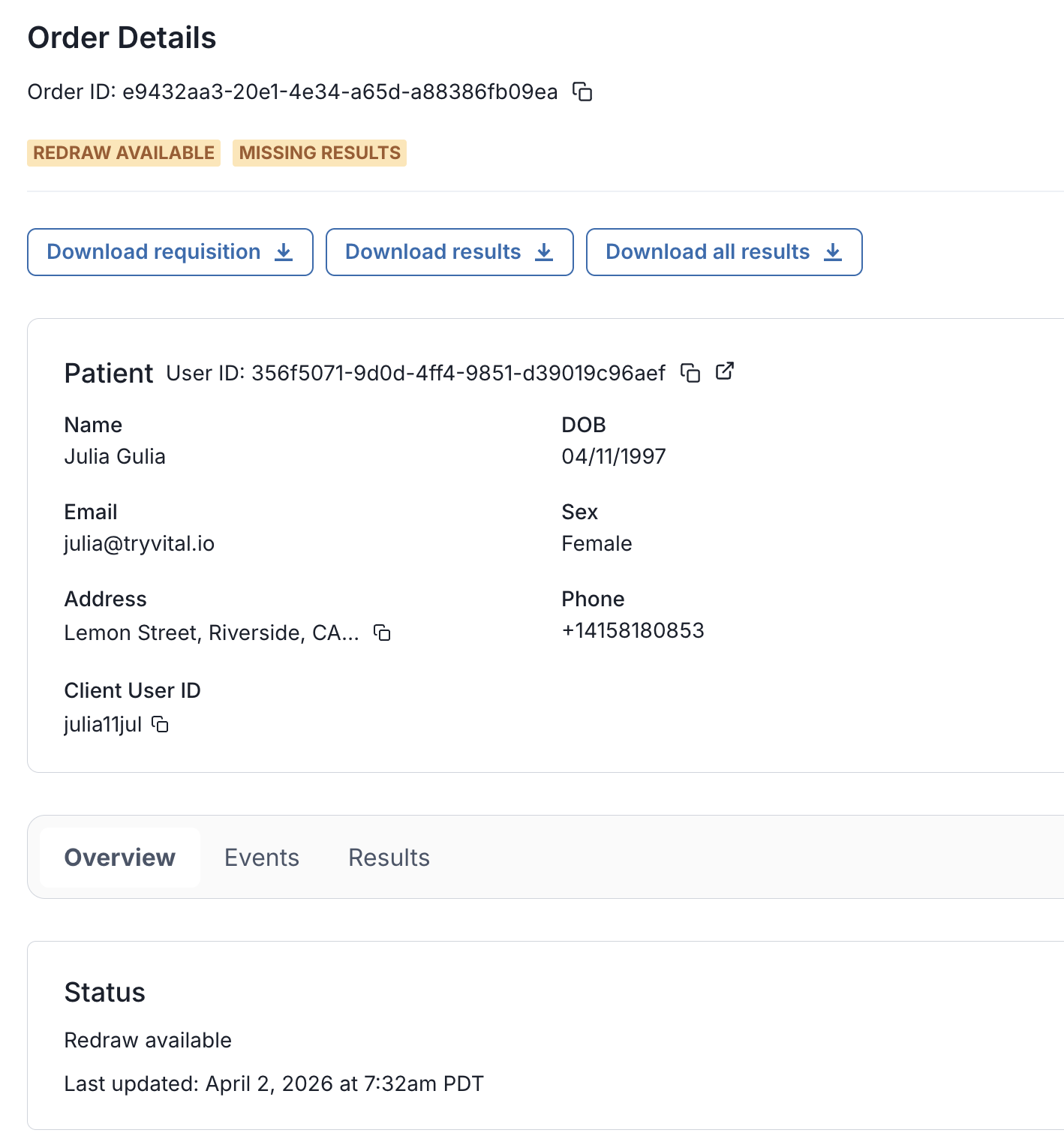
When lab results return with one or more missing biomarkers due to a lab error in a final result, Junction determines that a redraw is available.
Lab errors do not typically include: insufficient sample collection and phlebotomy or clinic storage problems
2. A redraw order is created automatically
Junction:
Creates a new lab order for the redraw
Generates a new requisition containing only the missing biomarkers
Sends automated email and SMS communications to the patient (if enabled for that team)
3. Orders are grouped into a single patient journey
The original order and redraw order are linked together under an order transaction, representing the full lab journey for that patient.
4. Results are delivered as one complete set
Once the redraw is completed:
Results from the original draw and redraw are merged
You receive a complete result set for the patient
Key concepts
Order Transaction
An order transaction represents the full patient lab journey.
One transaction includes:
One initial lab order
Up to one redraw order
This is the recommended object to track for:
Overall status
Final, complete results
Best practice: Track patient progress using the order_transaction_id, rather than individual order IDs.
Orders
Each lab visit is represented as its own order:
Initial order → first lab visit with original requisition
Redraw order → follow-up visit with a new requisition
Each order:
Has its own requisition
Has its own lifecycle
Is linked to the same transaction
Orders include an origin field (initial or redraw) to clearly identify redraws.
Results behavior
Unified results
Results are returned at the transaction level as a single, combined set
If a biomarker appears in both the original draw and the redraw:
The redraw result takes precedence
Individual order-level results remain available if needed
Result access
You can retrieve:
Combined results in JSON
Combined results in PDF
This eliminates the need to manually merge results across lab visits.
Patient experience
With redraws AND Junction communications enabled:
Patients are automatically notified when a redraw is required
Patients receive a new requisition for their redraw visit
There’s no need for patients to explain missing biomarkers at the lab
The redraw feels like a continuation of the same test, not a restart
Without Junction communications enabled, your team should utilize the available API webhooks and endpoints to customize email, SMS, etc.
What’s supported today
Walk-in lab redraws
Quest (and Sonora-Quest), Labcorp, and Bioreference
One redraw per patient journey
Unified results delivery
Current limitations
Multiple redraws within the same patient journey are not supported
If a second redraw is required, a new order should be created
Mobile phlebotomy redraws are not supported yet
Junction Orders and Results dashboard are currently order-based
Transaction-level views are planned for future updates
Getting started
To use redraws:
Ask your CSM to enable redraws in sandbox
Validate webhook handling and result retrieval
Ask your CSM to enable in production once ready
Your Junction CSM will guide you through setup and best practices.
Summary
Junction’s redraw solution replaces manual, error-prone redraw workflows with an automated, patient-friendly approach that:
Reduces patient friction
Simplifies operations
Delivers complete results reliably
Scales cleanly as your testing volume grows